Database Backup Checklist for SaaS Founders
Most SaaS founders know they should back up their database.
But the real question is not only, “Do we have a backup?”
The better question is:
Can we recover our data safely when something goes wrong?
That is where many small SaaS teams struggle.
They may have one old export file somewhere. They may depend on manual backups. They may assume their platform handles everything. Or they may not know who can access the backup files.
This is risky.
Your SaaS database is where your users, subscriptions, customer records, orders, settings, activity logs, and business data live. If that data is lost, damaged, or changed by mistake, your product can quickly become stressful to manage.
This checklist will help you review your database backup setup in a simple way.
If you use Supabase, you can also read How to Backup Your Supabase Database Automatically to set up a more focused Supabase backup workflow.
Why SaaS Founders Need a Backup Checklist
Backups are easy to ignore when everything is working.
You are busy building features, fixing bugs, talking to users, improving pricing, and trying to grow the product.
But database problems usually happen at the worst time.
A migration fails.
A developer runs the wrong query.
A user deletes something important.
A bug updates records incorrectly.
A production import goes wrong.
A client asks for old data.
Without a clear backup checklist, your team may not know what to do.
A checklist helps you avoid guessing.
It gives you a simple way to review your backup system before an emergency happens.
The SaaS Database Backup Checklist
Use this checklist to review your current backup process.
You do not need to make everything perfect in one day. Start with the most important items, then improve your process over time.
1. Confirm What Data Needs to Be Backed Up
Before choosing tools or schedules, first understand what data matters.
For a SaaS app, important data may include:
- User accounts
- Team or workspace records
- Subscription data
- Orders and invoices
- Customer settings
- Project data
- Uploaded file references
- Activity logs
- Permissions and roles
- API keys or integration settings
- Business reports
Not all data has the same value.
Some data is easy to recreate. Some data is impossible to recreate.
Your backup plan should focus first on the data that would hurt your users or business if it disappeared.
Ask yourself:
If this table was deleted today, would our users suffer?
If the answer is yes, it must be part of your backup plan.
2. Know Where Your Backups Are Stored
A backup is not useful if nobody knows where it is.
Your team should be able to answer this quickly:
Where is the latest production database backup?
If the answer is unclear, your backup process is weak.
Backups should not be scattered across random laptops, servers, chat messages, or personal folders.
Use one clear storage location.
For many small SaaS teams, Google Drive is a practical choice because it is easy to access and organize. If you are using Supabase, SupaBackup can help you save automatic Supabase database backups directly to your own Google Drive.
That gives you a separate copy outside your main app workflow.
3. Use Automatic Backups
Manual backups are useful sometimes, but they should not be your main backup strategy for a real SaaS app.
Manual backups depend on memory.
Automatic backups depend on a system.
That difference matters.
A founder may remember to export the database before launch. But after launch, the team becomes busy. Weeks pass. The backup folder becomes outdated.
Automatic backups reduce this risk because they run on schedule.
If your SaaS app has real users, production backups should be automatic.
For a deeper comparison, read Manual vs Automatic Database Backups: Which One Is Better?.
4. Choose the Right Backup Frequency
Not every SaaS app needs the same backup schedule.
The right frequency depends on how often your data changes and how much data you can afford to lose.
Ask this:
If we lost the last 24 hours of data, how bad would it be?
For many SaaS apps, losing one full day of customer activity would be painful.
A simple starting point:
- Side project: weekly backup
- Early SaaS with real users: daily backup
- Client project: daily backup
- SaaS with payments or orders: daily or more frequent backup
- Critical system: advanced backup and recovery planning
Do not choose a backup schedule only because it is easy.
Choose it based on risk.
5. Use Clear Backup File Names
Bad file names create confusion during recovery.
Avoid names like:
backup.sqllatest.sqlfinal-backup.sqlnew-database-copy.sql
These names do not tell you enough.
Use file names that include:
- Project name
- Environment
- Date
- Time if needed
Example:
billing-app-production-2026-06-25.sql
Or:
client-dashboard-production-2026-06-25-0900.backup
During an emergency, a clear file name can save time and reduce mistakes.
6. Separate Production, Staging, and Local Backups
Production data should not be mixed with staging or local development backups.
Keep them separate.
A simple folder structure can look like this:
Database Backups / Project Name / Production
Database Backups / Project Name / Staging
Database Backups / Project Name / Local
This makes your backup folder easier to understand.
It also reduces the chance of restoring the wrong file.
For SaaS founders managing multiple projects, this is especially important.
7. Store a Copy Outside Your Main Platform
Keeping backups only inside the same platform as your app can limit your recovery options.
A safer approach is to keep an additional backup copy somewhere you control.
For example, if your app runs on Supabase, keeping an extra database backup in Google Drive gives you another layer of safety.
This is one reason SupaBackup focuses on automatic Supabase backups to Google Drive.
You get a backup file in a place your team already understands.
If you use PostgreSQL outside Supabase, you may also find How to Backup PostgreSQL to Google Drive useful.
8. Check Whether File Storage Also Needs Backup
Many SaaS apps store more than database rows.
Your app may also have:
- User avatars
- Uploaded documents
- Images
- PDFs
- Invoices
- CSV exports
- Project files
Sometimes the database only stores a reference to these files.
For example:
/uploads/invoice-123.pdf
If the database is restored but the actual file is missing, your app may still have broken data.
If your app uses Supabase Storage, remember that database backups and file storage backups are different concerns.
Your checklist should include both:
- Database backup
- File storage backup
A complete recovery plan needs both if your product depends on uploaded files.
9. Limit Access to Backup Files
Database backups can contain sensitive data.
They may include:
- User emails
- Customer records
- Billing information
- Internal notes
- Private project data
- Business activity
- API-related records
Do not give backup access to everyone.
Only trusted people who truly need access should be able to view or download backup files.
If you store backups in Google Drive, check folder sharing carefully.
Avoid public links.
Avoid sharing with personal accounts unnecessarily.
Remove access when a team member no longer needs it.
A backup should protect your business, not create a new security risk.
10. Create a Backup Before Risky Changes
Automatic backups are important, but manual backups still have a place.
Before major changes, create an extra backup.
This is useful before:
- Running a large migration
- Importing customer data
- Updating many records
- Changing billing logic
- Deleting old records
- Deploying a risky feature
- Moving data between tables
Even if your automatic backup ran last night, an extra backup before a risky change can make recovery easier.
This is one of the simplest habits that can save a SaaS founder from a painful mistake.
11. Test Restore in a Safe Environment
A backup is not complete until you know it can be restored.
Many teams create backups but never test them.
That means they only discover problems during an emergency.
Do not wait for that moment.
From time to time, restore a backup in:
- A local database
- A staging environment
- A separate test project
Then check:
- Are the tables available?
- Is the data readable?
- Are important records present?
- Does the app work with restored data?
- Are file references still valid?
If you are using Supabase, read How to Restore a Supabase Database Backup Safely before touching production.
Testing restore gives you confidence.
12. Decide How Long to Keep Old Backups
You do not need to keep every backup forever.
But you should decide how long old backups should stay available.
This is called backup retention.
For example:
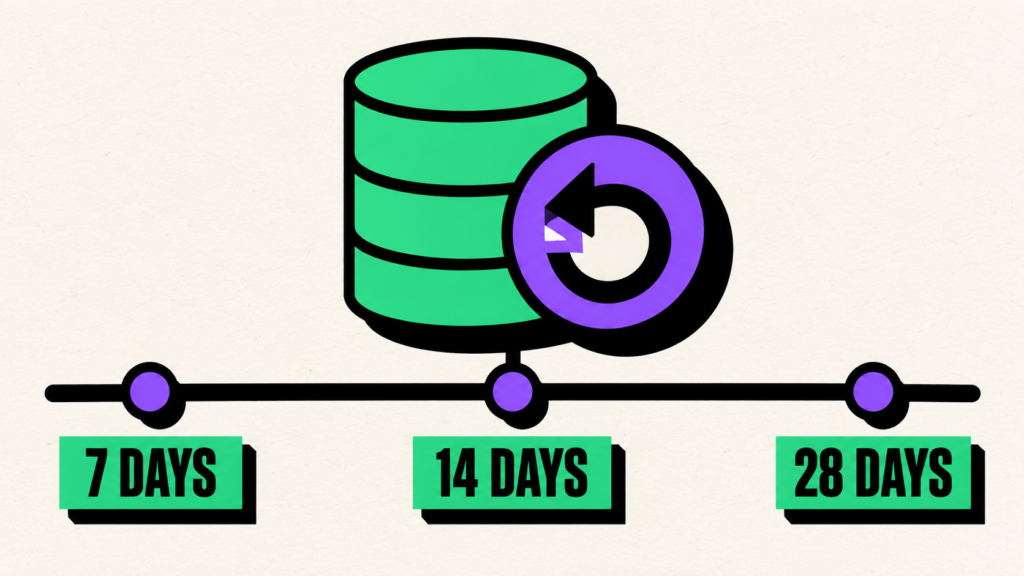
- Keep daily backups for 14 days
- Keep weekly backups for 2 months
- Keep monthly backups for 1 year
The right retention policy depends on your app, storage cost, customer needs, and compliance requirements.
The main point is simple:
Do not let retention happen randomly.
Decide your rule and follow it.
13. Document the Recovery Process
When a database problem happens, people feel pressure.
That is not the best time to invent a recovery plan.
Write a simple recovery document before you need it.
It should answer:
- Where are backups stored?
- Who can access them?
- How do we choose the correct backup?
- Where do we test restore?
- Who approves production recovery?
- What should we check after restore?
- How do we communicate with the team?
This document does not need to be long.
Even one page is enough for many small teams.
The goal is to avoid panic.
14. Review Backups After Major Product Changes
Your backup plan should grow with your product.
Review it after major changes like:
- New payment system
- New file upload feature
- New team/workspace feature
- New customer data structure
- New reporting system
- New integration
- Database schema redesign
A backup plan that worked six months ago may not be enough today.
Every time your product stores new important data, your backup checklist should be updated.
15. Assign Backup Ownership
Someone should own the backup process.
If everyone assumes someone else is handling it, nobody may be handling it.
For a small SaaS team, this may be the founder or lead developer.
For a larger team, it may be the person responsible for infrastructure or operations.
Backup ownership means someone regularly checks:
- Are backups running?
- Are files stored correctly?
- Are failed backups noticed?
- Is access still correct?
- Has restore been tested recently?
This does not need to take much time.
But it should be someone’s responsibility.
Quick SaaS Backup Checklist
Here is the short version you can copy into your team notes:
- Identify important database tables
- Know where backups are stored
- Use automatic backups for production
- Choose backup frequency based on risk
- Use clear backup file names
- Separate production and staging backups
- Store a copy outside your main platform
- Include file storage in your recovery plan
- Limit access to backup files
- Create manual backups before risky changes
- Test restore in a safe environment
- Decide backup retention
- Document the recovery process
- Review backups after major product changes
- Assign backup ownership
This checklist is simple, but it covers the most common problems SaaS founders face.
How SupaBackup Helps SaaS Founders
SupaBackup is built for developers, indie hackers, freelancers, and small SaaS teams using Supabase.
It helps you automatically back up your Supabase database and save the backup files to your own Google Drive.
This makes your backup process easier because you do not need to build your own scripts, manage cron jobs, or remember manual exports.
SupaBackup helps with:
- Automatic Supabase backups
- Google Drive backup storage
- Simple project-based organization
- Less manual work
- A safer backup habit
- Easier access to backup files when needed
For many SaaS founders, the goal is not to build a complicated backup system.
The goal is to have a reliable process that works before something goes wrong.
Final Thoughts
A database backup checklist may not feel exciting, but it can protect your SaaS business from serious problems.
The best time to prepare is before you need recovery.
Your database holds the most important parts of your product. Users, subscriptions, customer records, orders, settings, and business activity all depend on it.
A good backup process should be automatic, organized, secure, and tested.
Start simple.
Set up automatic backups.
Store them somewhere you control.
Use clear file names.
Limit access.
Test restore before an emergency.
If you are using Supabase, SupaBackup can help you save automatic database backups to your own Google Drive, giving you a simple and practical recovery layer for your SaaS app.
Do not wait for a mistake to teach you the value of backups.
Build the habit now.