How to Backup Your Supabase Database Automatically

Supabase is a great choice for building modern apps quickly. You get a PostgreSQL database, authentication, storage, APIs, and other backend features without managing everything from scratch.
But there is one thing many developers forget until it becomes urgent:
Your database still needs a reliable backup plan.
If your app is in development, losing data may be annoying. But if your app has real users, payments, customer records, project data, or business information, database loss can become a serious problem.
That is why automatic Supabase backups are important.
In this guide, we will explain why Supabase database backups matter, what you should think about before choosing a backup method, and how you can use SupaBackup to send your Supabase backups directly to your own Google Drive.
Why Supabase Database Backups Matter
Supabase uses PostgreSQL, which is one of the most trusted databases in the world. But even with a reliable database, data loss can still happen.
Common reasons include:
- Accidental data deletion
- Wrong SQL query execution
- Failed migration
- App bug that modifies important records
- Human error from developers or admins
- Need to restore old data after a mistake
For example, imagine you are working on a SaaS product and run a migration that updates the wrong table. Or maybe a delete query runs without the correct condition. In these cases, your database may still be online, but your important data can be damaged or missing.
A backup gives you a way to recover.
Without a backup, you may have no easy path back.
Does Supabase Provide Backups?
Supabase offers backup features depending on your project and plan. However, many developers still want their own independent backup copy.
Why?
Because having your own copy gives you more control.
A good backup strategy should not depend on only one platform. If your database is important, it is safer to keep an extra backup somewhere you control.
For many small teams, indie hackers, and SaaS founders, Google Drive is a simple and familiar place to store backup files.
That is where SupaBackup helps.
What Makes a Good Supabase Backup System?
Before choosing any backup solution, look for these things:
1. Automatic Scheduling
Manual backups are easy to forget.
You may remember to export your database once or twice, but after a few weeks, it becomes boring. A proper backup system should run automatically on a schedule.
For example:
- Weekly backup for small projects
- Daily backup for production apps
- More frequent backups for critical systems
The less you depend on memory, the safer your data becomes.
2. Easy Storage Access
A backup is only useful if you can actually access it when needed.
Some teams prefer cloud storage because it is easy to manage and share internally. Google Drive is familiar to many founders, developers, and small business owners.
With SupaBackup, your backups go straight to your Google Drive. That means your data is stored in your own account, not hidden inside a third-party dashboard.
3. No Complicated Server Setup
You can create your own backup system using scripts, cron jobs, PostgreSQL tools, cloud storage APIs, and server configuration.That works if you have time and experience.
But many developers do not want to maintain another server just for backups. They want something simple:
- Connect Supabase.
- Connect Google Drive.
- Set the schedule.
- Let it run.
That is the purpose of SupaBackup.
4. Clear Restore Planning
Creating backups is only half of the job.
You should also know what you will do if you need to restore data.
Before your app grows, ask yourself:
- Where are my backup files stored?
- How often are backups created?
- Who has access to them?
- How quickly can I find the latest backup?
- Do I know how to restore my PostgreSQL database?
A backup system should make these answers simple.
How SupaBackup Works
SupaBackup is built for developers and teams using Supabase.
The idea is simple:
Back up your Supabase database automatically to your own Google Drive.
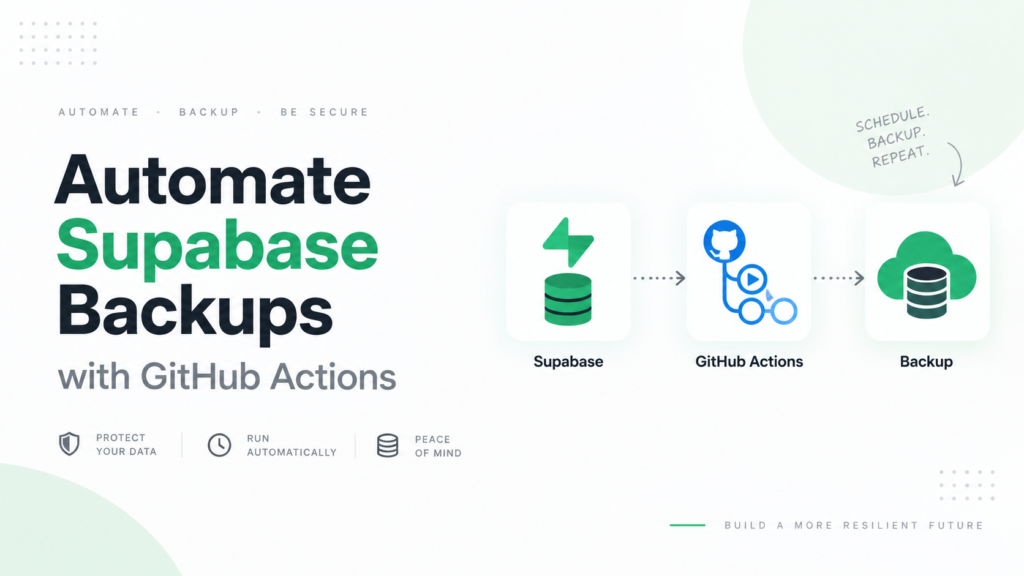
You connect your Supabase database, choose your backup schedule, and SupaBackup handles the backup process.
Your backups are saved to your Google Drive, so you stay in control of your files.
SupaBackup is useful for:
- Indie hackers building SaaS products
- Developers using Supabase for client projects
- Small teams without a dedicated DevOps engineer
- Agencies managing multiple Supabase projects
- Startups that want a simple backup workflow
Why Google Drive Backup Is Useful for Supabase Projects
Google Drive is not a replacement for a complete enterprise backup system, but it is a practical option for many small and growing projects.
It is useful because:
- Most teams already use Google accounts
- Backup files are easy to find
- You can organize backups by project
- You can control file access
- You are not locked inside one dashboard
For early-stage SaaS products, this can be enough to create a safer workflow without adding too much complexity.
Manual Backup vs Automatic Backup
You can back up your Supabase database manually, but manual backups have a few problems.
- You may forget to do it.
- You may not do it regularly.
- You may not name files properly.
- You may not store them in the right place.
- You may only remember after something goes wrong.
Automatic backups solve this by running in the background.
For example, instead of thinking, “I should backup this database later,” you can set up SupaBackup once and let it create backups on schedule.
That is much safer for real projects.
When Should You Start Backing Up Your Supabase Database?
The best time to create a backup system is before you need it.
You should start backing up your Supabase database when:
- Your app has real users
- Your database stores customer data
- You are working with client projects
- You are preparing to launch
- Your app handles orders, payments, bookings, or business records
- Losing data would create stress or financial damage
Even if your project is small today, setting up backups early helps you avoid bigger problems later.
Best Practices for Supabase Backups
Here are a few simple backup practices you can follow:
1. Use Automatic Backups
Do not depend only on manual exports. Use an automatic schedule so your backups happen consistently.
2. Keep Backups Outside Your Main App
If your backup is stored only inside the same platform or same environment, you may have limited recovery options. Keeping a separate copy gives you more flexibility.
3. Organize Backup Files Clearly
Use clear project names and dates so you can quickly find the correct backup file when needed.
4. Test Your Restore Process
A backup is only valuable if it can be restored. From time to time, test your restore process in a safe environment.
5. Limit Access
Only trusted people should access database backup files. Backups may contain sensitive business or user data.
Who Should Use SupaBackup?
SupaBackup is a good fit if you want a simple way to protect your Supabase database without building your own backup system.
It is especially useful for:
- Solo developers
- SaaS founders
- Startup teams
- Freelancers
- Web agencies
- Developers managing multiple Supabase apps
If your project is important enough to build, it is important enough to back up.
Final Thoughts
Supabase makes it easy to build apps quickly, but your data still needs protection.
A simple automatic backup system can save you from accidental deletion, failed migrations, and unexpected mistakes. With SupaBackup, you can back up your Supabase database automatically and store the backup files in your own Google Drive. It is a simple way to add an extra layer of safety to your project. If you are building with Supabase, do not wait until something goes wrong. Set up your backup system early and protect your database before you need to recover it.