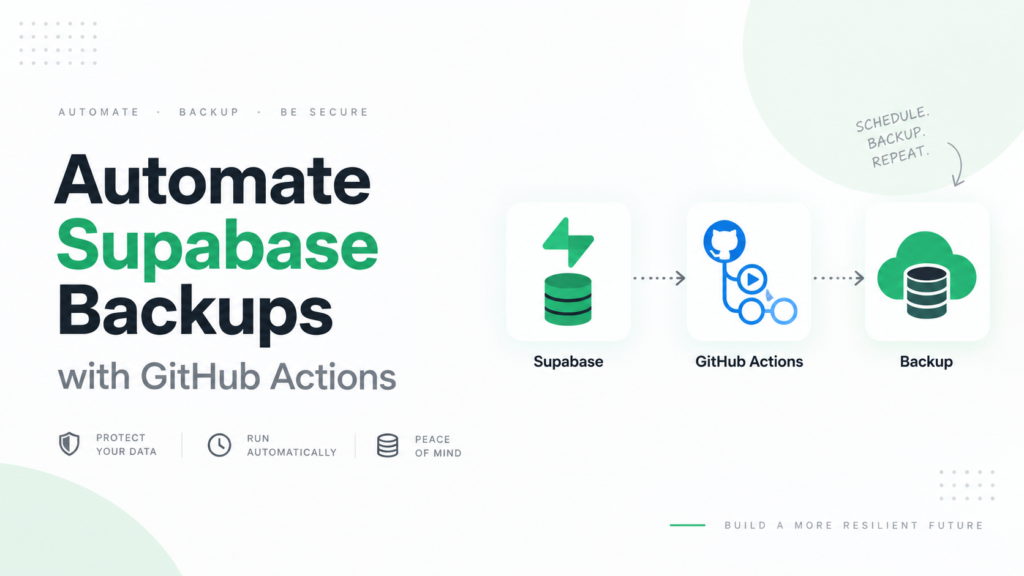
If you use Supabase for a production application, keeping an independent copy of your database can be a useful part of your backup strategy.
Because every Supabase project uses PostgreSQL, you can create a logical database backup using PostgreSQL’s standard pg_dump utility.
In this guide, we’ll explain how pg_dump works with Supabase, how to create a backup, how to restore it, and when you may want to automate the process.
What Is pg_dump?
pg_dump is PostgreSQL’s built-in utility for exporting a database.
It creates a logical snapshot containing database structures and data that can later be restored into PostgreSQL.
One useful feature of pg_dump is that it can create a consistent export while the database is still being used. It does not normally block other users from reading or writing to the database.
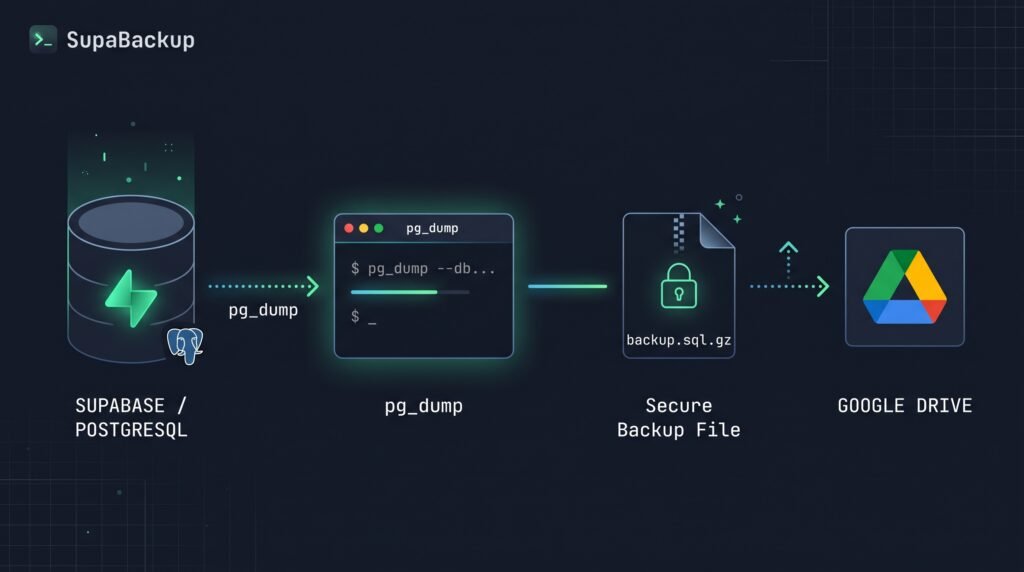
A basic backup workflow looks like this:
Supabase PostgreSQL
        ↓
     pg_dump
        ↓
  Backup file
        ↓
 External storage
This gives you a database copy independent of Supabase’s normal recovery interface.
Does Supabase Support pg_dump?
Yes.
Supabase explicitly supports logical database exports using either:
- the Supabase CLI
- PostgreSQL
pg_dump
Supabase currently recommends that Free Plan projects regularly export their databases and maintain off-site backups.
Supabase’s own supabase db dump command also uses pg_dump internally with additional configuration for Supabase-managed schemas.
Get Your Supabase Database Connection
Before using pg_dump, you need your PostgreSQL connection information.
In your Supabase Dashboard, open your project’s database connection settings and obtain the appropriate database connection string.
A PostgreSQL connection generally follows this structure:
postgresql://USER:PASSWORD@HOST:PORT/DATABASETreat this connection string as sensitive information.
Do not publish it in GitHub repositories, frontend code, screenshots, or public logs.
Backup a Supabase Database with pg_dump
Once pg_dump is installed, you can create a backup using your database connection string.
A simple command looks like:
pg_dump "YOUR_DATABASE_CONNECTION_STRING" > supabase-backup.sqlThis creates a plain SQL backup file:
supabase-backup.sqlThe SQL file contains commands that PostgreSQL can use to reconstruct the exported database.
For a small database, this format is easy to understand and work with.
Create a Custom-Format Backup
Another option is PostgreSQL’s custom archive format:
pg_dump -Fc "YOUR_DATABASE_CONNECTION_STRING" -f supabase-backup.dumpThe -Fc option creates a custom-format archive.
PostgreSQL documents the custom format as one of its most flexible dump formats because it works with pg_restore, supports selective restoration, and is compressed by default.
For many backup workflows, this is preferable to a large plain SQL file.
You will get:
supabase-backup.dumpPlain SQL vs Custom Format
Which one should you use?
| Format | Command | Best For |
|---|---|---|
| Plain SQL | pg_dump ... > backup.sql | Simple exports and readable SQL |
| Custom | pg_dump -Fc ... | Flexible backup and restore workflows |
If you’re learning or creating a one-time export, plain SQL is perfectly reasonable.
For regular database backups, custom format often provides more flexibility.
How to Restore a pg_dump Backup
If you created a plain SQL backup, you can restore it using psql.
For example:
psql "TARGET_DATABASE_CONNECTION_STRING" < supabase-backup.sqlIf you created a custom-format backup, use pg_restore instead:
pg_restore \
  --dbname="TARGET_DATABASE_CONNECTION_STRING" \
  supabase-backup.dump
You should normally test restoration using a separate database or project rather than experimenting directly with your production database.
A backup is only truly useful if you know it can be restored.
Using the Supabase CLI Instead
Supabase also provides its own database dump command:
supabase db dumpFor a remote Supabase project, your local project normally needs to be linked first using:
supabase linkThe CLI then runs pg_dump with additional options that exclude Supabase-managed schemas.
One important detail is that the default supabase db dump output does not include everything automatically.
For example, the CLI documentation states that data and custom roles require appropriate options such as --data-only and --role-only.
So always understand what your chosen command is exporting before relying on it as your only backup.
What Does a Supabase Database Backup Include?
A database dump can include things such as:
- tables
- database records
- indexes
- functions
- views
- sequences
- database schema
But a database backup should not be confused with a complete Supabase project backup.
Supabase Storage objects are an important example.
Supabase’s database contains metadata about Storage objects, but the actual files stored through the Storage API are not included in normal database backups.
That means:
PostgreSQL database backup
        ≠
Complete Supabase project backup
If your application depends heavily on Supabase Storage, you need a separate strategy for those files.
pg_dump vs Supabase Daily Backups
Supabase automatically provides daily database backups on its Pro, Team, and Enterprise plans.
Current standard daily backup history is:
| Plan | Daily Backup History |
|---|---|
| Pro | 7 days |
| Team | 14 days |
| Enterprise | Up to 30 days |
These native backups are convenient for recovering your Supabase project.
A pg_dump backup serves a slightly different purpose: it gives you a logical database export that you can store somewhere else.
For example:
Supabase
   │
   ├── Native backup
   │
   └── pg_dump
          ↓
      Off-site copy
For important applications, using more than one recovery layer can reduce dependence on a single backup mechanism.
Why Keep an Off-Site Supabase Backup?
An off-site logical backup can be useful for several reasons.
Longer Retention
You control how long the backup files remain available.
Instead of being limited to a short recovery window, you could retain weekly or monthly snapshots according to your own requirements.
Project Deletion Protection
Supabase states that deleting a project permanently removes its associated data and backups.
An independent copy stored outside that project provides another recovery option.
Database Migration
A logical database dump can also make it easier to move data between PostgreSQL environments.
Additional Recovery Layer
Your Supabase-native recovery system and your independent backups can protect against different failure scenarios.
The Problem with Manual pg_dump Backups
Running pg_dump manually is simple:
pg_dump ...Remembering to do it every day is harder.
A manual process can easily turn into:
Day 1  ✓ Backup
Day 2  ✓ Backup
Day 3  ✗ Forgot
Day 4  ✗ Forgot
Day 5  ✗ Forgot
For production systems, backups should ideally happen according to a repeatable schedule.
You could automate pg_dump using a cron job or your own server infrastructure.
But then you also need to manage:
- scheduling
- database credentials
- storage
- encryption
- failed jobs
- retention
- cleanup
That is where an automated backup service can simplify the workflow.
Automating Supabase Backups with SupaBackup
SupaBackup automates logical Supabase database backups and sends the generated backup files directly to your connected Google Drive.
The workflow becomes:
Supabase Database
       ↓
    SupaBackup
       ↓
 Automated Backup
       ↓
 Your Google Drive
Instead of maintaining your own cron jobs and backup scripts, you configure the backup job and let it run automatically.
Your backups remain in storage you control.
This can be useful if you want:
- automatic Supabase database backups
- backups in Google Drive
- independent off-site copies
- configurable retention
- less backup infrastructure to maintain
Automate Your Supabase Backups →
pg_dump Best Practices
Whichever method you use, follow a few basic practices.
Do not keep your only backup on the same infrastructure as the production database.
Protect database credentials carefully.
Keep multiple recovery points rather than constantly overwriting one backup file.
Most importantly, test your restore process occasionally.
A successful backup job does not automatically mean you have a working recovery strategy.
Final Takeaway
pg_dump provides a straightforward way to create an independent logical backup of a Supabase PostgreSQL database.
You can run it manually, use the Supabase CLI, or automate the process yourself.
For occasional exports, manual pg_dump may be enough.
For production databases that need regular backups, automation becomes much more important.
Whatever approach you choose, remember that your database backup does not automatically include Supabase Storage files, and periodically test that your backups can actually be restored.